


A card-themed slot can look straightforward on a large monitor and feel busier on a phone. Small payout labels, moving symbols and quick transitions compete for attention. This Wild Ace mobile demo guide helps luckycola readers evaluate the screen in a practical order, beginning with the controls that affect real spending.
A demo, when offered, is useful for learning the interface. Its balance is a test balance, and its results should not be interpreted as evidence of what a later paid session will return.
Begin with the Stake Display
Before touching Spin, identify the total wager per round. A number labelled coin value, level or denomination may not be the final amount deducted. Read the control labels and confirm how adjustments change the displayed total.
Avoid learning this through repeated paid spins. Use the help menu and a demo where available, then select a stake that fits the session limit already chosen.
| Screen item | What to identify | Why it matters on mobile |
|---|---|---|
| Balance | Available funds or demo credits | Prevents confusing test money with cash |
| Stake | Total amount for the next round | Small labels can conceal important distinctions |
| Spin control | Where one round starts | Helps avoid unintended repeated input |
| Rules menu | Paytable and feature explanations | Confirms what the symbols actually do |
| Round result | Final credited payout | Separates the completed result from animations |
Follow One Round at Normal Speed
Wild Ace’s cascading presentation can make one round look like several separate events. Track the initial wager, then watch winning symbols disappear and new ones arrive. Wait for the sequence to settle before reading the total.
For luckycola readers, this is a useful interface exercise: describe the completed round in one sentence without relying on flashing labels. If the sequence is still unclear, leave faster animation settings off while learning.
Check Whether the Layout Is Comfortable
Text and Orientation
Try the orientation the game supports and check whether the paytable remains readable. A layout that fits the screen is not automatically easy to use. You should be able to open and close information panels without obscuring essential controls.
Touch Targets
Inspect the spacing between stake adjustments and Spin. If controls are difficult to distinguish, enlarge the supported view or use another device. Do not assume a tiny plus sign changes only a minor setting.
Sound and Notifications
Sound can help identify when a round ends, but it should not be the only cue. Confirm that the credited result is visible. If another app interrupts play, return to the completed result or available history instead of guessing what happened.
What a Mobile Demo Can and Cannot Tell You
| Useful demo observation | What it does not establish |
|---|---|
| Whether text is readable | A future profit level |
| Where the paytable opens | That every operator uses the same configuration |
| How a cascade is displayed | A dependable bonus frequency from a small sample |
| Whether the controls suit your device | That a site is licensed or secure |
A luckycola reader comparing interfaces should record usability separately from results. A comfortable screen is a practical advantage; a lucky test session is an outcome sample.
A Short Exit Check
Before closing the game, wait for the round to finish and note the final balance. Use available account or round records if an interruption makes the result uncertain. Avoid repeatedly pressing Spin while a display is loading.
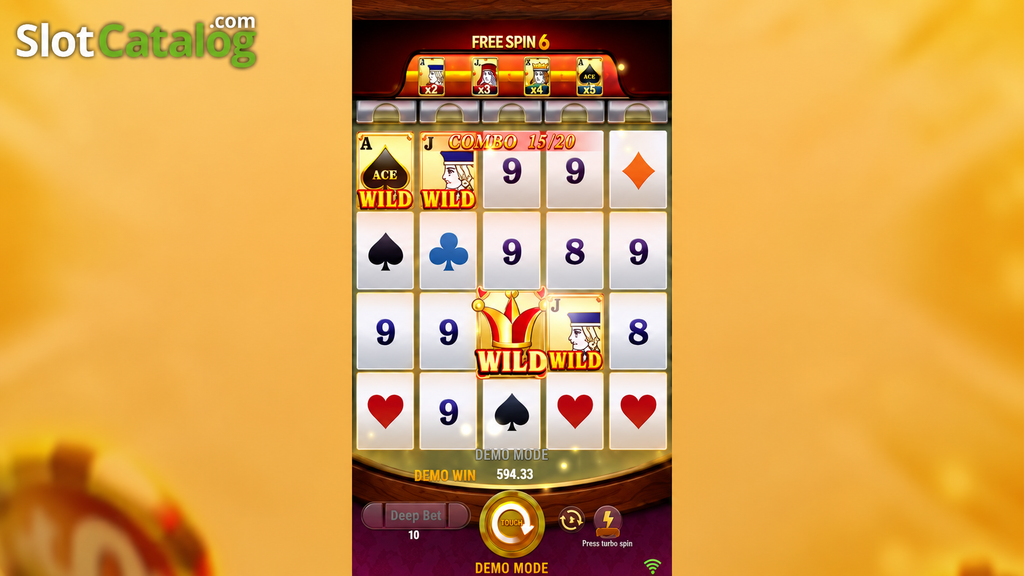
Questions About Wild Ace on a Phone
Does faster animation improve the result?
Do not infer a payout advantage from a speed setting. It changes the presentation or pace, and a faster pace can increase spending per minute.
Is a demo win withdrawable?
Ordinary demo credits are test credits. Any separate promotion has its own terms and should not be confused with demo play.
For luckycola readers, a successful mobile test means being able to identify the wager, read the rules and understand the completed round without rushing. Those are better usability criteria than the size of a temporary demo balance.